
The OmniScript must retrieve device details stored in the Assetobject and then call an external system to send troubleshooting commands via REST API to the device. Which two OmniScript element should the developer use to configure this functionality?
A. DataRaptor Extract Action
B. REST API Action
C. Navigation Action
D. SOQL Action
E. HTTP Action
Summary
The requirement involves two distinct operations: retrieving data from Salesforce and sending data to an external system. The solution requires using specialized elements designed for each specific task. One element is optimized for internal Salesforce data queries, while the other is designed for external web service communication.
Correct Option
A. DataRaptor Extract Action
This element is specifically designed to retrieve data from Salesforce objects. A DataRaptor Extract can be configured to query the Asset object and fetch the necessary device details. It provides a declarative, efficient way to access Salesforce data and make it available in the OmniScript's data pipeline for use by subsequent actions.
E. HTTP Action
This element is used to call external REST APIs or web services. The developer can configure the HTTP Action with the external system's endpoint, headers, and the request body. The device details retrieved by the DataRaptor Extract can be used to construct the troubleshooting commands that are sent via this HTTP Action to the external device management system.
Incorrect Option
B. REST API Action
This is not a standard element in OmniStudio. The correct element for making external REST API calls is the HTTP Action.
C. Navigation Action
This element is used to control the user's flow within the OmniScript, such as moving to the next step or a different step set. It does not retrieve data or call external systems.
D. SOQL Action
While SOQL is used for querying data, there is no standalone "SOQL Action" element in OmniStudio. SOQL queries are executed within DataRaptor Extract actions, which are the declarative and recommended way to retrieve Salesforce data in OmniStudio.
Reference
Salesforce OmniStudio Developer Guide: DataRaptor Extract
Salesforce OmniStudio Developer Guide: HTTP Action
A customer sets up two LWC OmniScripts, one embedded into another. AccountId is set in a Set Values element in the parent OmniScript. The Accountid set in the parent OmniScript is used to set another Set values element ContextAccountId in the emvedded OmniScript. The embedded OmniScript is activated.
While previewing the OmniScript flow from the parent, it is found that Account I setcorrect in the parent OmniScript.However,ContextAccount in the embedded OmniScript is not set with the Accountid from parent OmniScript. On previewing the embedded OmniScript individually. It is found that ContextAccountId is set correctly.
What is the reason for this? Refer to the exhibit below.
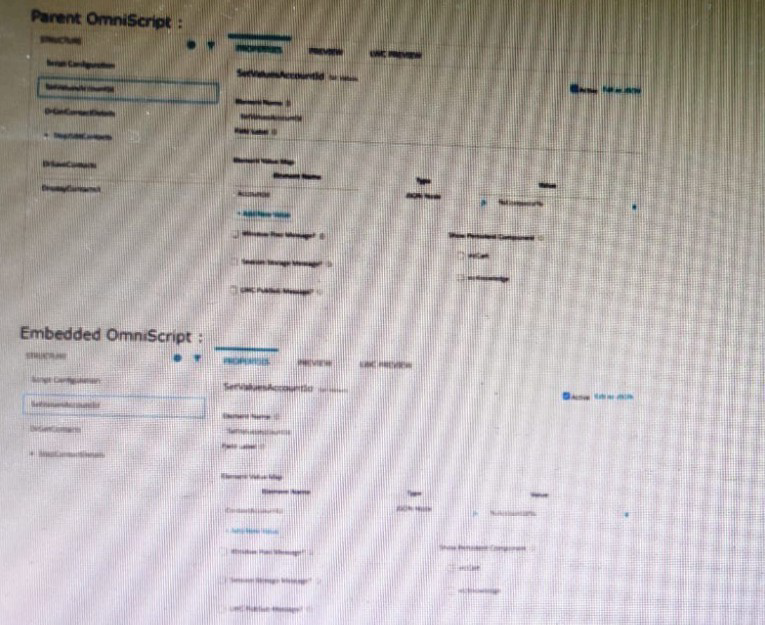
A. The WLC PubSub Messge flag in the Set Values action of the parent OmniScript has not been set.
B. The flag passData.JSON in the parent OmniScript in not configured correctly.
C. A developer failed to includea Navigate Action Element to pass data from the parent OmniScript.
D. Both parent and embedded OmniScripts have the same element name for the Set Values element.
Summary
When embedding an LWC OmniScript within a parent LWC OmniScript, data is passed between them using the Lightning Message Service (LMS) via a feature called LWC PubSub. For a value set in the parent script to be available in the embedded script, the Set Values element in the parent that holds the data must be configured to broadcast this data. If this broadcast flag is not enabled, the embedded script cannot receive the data, even if the parent script has the value correctly set in its own context.
Correct Option
A. The WLC PubSub Message flag in the Set Values action of the parent OmniScript has not been set.
This is the specific configuration required to pass data from a parent LWC OmniScript to an embedded one. The "WLC PubSub Message" checkbox on the Set Values element in the parent OmniScript must be checked. This enables the data to be published via the Lightning Message Service, making it available for the embedded OmniScript to subscribe to and consume. Without this flag set, the data remains isolated within the parent's context.
Incorrect Option
B. The flag passData.JSON in the parent OmniScript is not configured correctly.
There is no standard property named "passData.JSON" in the OmniScript configuration. Data passing in embedded LWC OmniScripts is handled by the LWC PubSub mechanism, not by a generic property with this name.
C. A developer failed to include a Navigate Action Element to pass data from the parent OmniScript.
A Navigate Action is used to control the user's flow between steps within a single OmniScript. It is not the mechanism for passing data between a parent and an embedded OmniScript. Data passing for embedded scripts is handled by the LWC PubSub configuration on elements like Set Values.
D. Both parent and embedded OmniScripts have the same element name for the Set Values element.
While it is a best practice to use unique element names for clarity, having the same name for Set Values elements in parent and embedded scripts does not prevent data from being passed via LWC PubSub. The PubSub communication is based on the "WLC PubSub Message" setting and the structure of the data, not on the element names themselves.
Reference
Salesforce OmniStudio Developer Guide: Embed an OmniScript in an OmniScript
A developer creates a FlexCard with five state elements. For of the stateshave a condition. To test the FlexCard, the developer previews it using sample data that causes two of the states to have true conditions. In this scenario, how will the developer know which state will display?
A. The first state with true conditions sequence closest to the top of the FlexCard canvas will display.
B. The first state with true nested condition, regardless of sequence in the FlexCard canvas, will display
C. The state sequenced first in the FlexCard canvas will display.
D. The first state witha true AND condition, regardless of sequence in the FlexCard canvas, will display.
Explanation:
FlexCards can have multiple states, each with conditions. A state displays only if its condition evaluates to true.
When multiple states evaluate to true, the FlexCard evaluates them in order of their sequence (top to bottom).
The first matching state (closest to the top of the canvas) is the one that displays.
If no conditions evaluate to true, then the default state (if defined) will display.
❌ Why the other options are incorrect:
B. The first state with true nested condition, regardless of sequence in the FlexCard canvas, will display.
→ Wrong. Sequence matters, not nesting.
C. The state sequenced first in the FlexCard canvas will display.
→ Only true if that first state’s condition evaluates to true. If its condition is false, it won’t display.
D. The first state with a true AND condition, regardless of sequence in the FlexCard canvas, will display.
→ Incorrect. There’s no special priority for AND vs. OR conditions; evaluation order is by sequence only.
📖 Reference:
Salesforce OmniStudio FlexCards Developer Guide → States section:
“If more than one state evaluates to true, the FlexCard renders the first state in sequence.”
An integration procedure contains a Remote Action element that calls a method of an APEXclass. The method requires two fields are input: Accountid and ProductId. The integration Procedure data JSON contains the following nodes: How should the Remote Action element be configured to pass the data correctly to the method?
A. Check the Send OnlyAdditional Input checkbox, and the following/ value pairs to Additional input:
B. Set Return Only Additional Output to true, and add the following Key/Value pairs to additional input.
C. Check the DataRaptor Transform checkbox, and add the following Key/Value pairs to Output JSON Path:
D. Add the following to Send JSON Path: accountId: %Accountd% ProductId% Details Products%
Summary
The requirement is to pass specific data nodes from the Integration Procedure's pipeline as discrete parameters to an Apex method via a Remote Action. The Apex method expects named parameters (AccountId and ProductId), not a monolithic JSON object. The correct configuration must explicitly map each pipeline value to its corresponding Apex method parameter.
Correct Option
A. Check the Send Only Additional Input checkbox, and add the following Key/Value pairs to Additional input:
This is the correct configuration. The "Send Only Additional Input" option ensures that only the explicitly defined key/value pairs in the "Additional Input" section are sent to the Apex method. Here, you would create two entries:
Key: accountId, Value: {%AccountId%}
Key: productId, Value: {%Details:ProductId%}
This maps the pipeline data directly to the expected Apex method parameters, ensuring they are passed by name correctly.
Incorrect Option
B. Set Return Only Additional Output to true, and add the following Key/Value pairs to additional input.
"Return Only Additional Output" controls what is returned from the action and stored in the pipeline, not what is sent to the action. Enabling this would not help in sending the correct input parameters to the Apex method and might even strip the response if not configured properly on the output side.
C. Check the DataRaptor Transform checkbox, and add the following Key/Value pairs to Output JSON Path:
The "DataRaptor Transform" checkbox is used to transform the response from the Apex call using a DataRaptor. It has no bearing on how the input parameters are structured or sent to the Apex method. The "Output JSON Path" is for mapping the action's result, not its input.
D. Add the following to Send JSON Path: accountId: %AccountId% ProductId: %Details:ProductId%
The "Send JSON Path" is used to send a single, structured JSON object as the input to the remote service. An Apex Remote Action expecting discrete named parameters will not be able to deserialize this single JSON string into its separate parameters correctly. The "Additional Input" method is the standard and correct way to pass multiple discrete parameters.
Reference
Salesforce OmniStudio Developer Guide: Remote Action
Which two in an integration Procedure or DataRaptor can execute a function like CONCAT or DATEDIFF?
(Choose 2 answers)
A. In a Set Values Action in a Value field.
B. In a DataRaptor in an Output TabOutput JSON Path.
C. In a DataRaptor Action in an Input Parameters value field.
D. In a Remote Action m an Additional Output value field.
Summary
OmniStudio functions like CONCAT or DATEDIFF are used to dynamically transform or calculate values within a procedure's data pipeline. They can be applied in contexts where you are defining new values or transforming data as it moves between steps. The key is that these functions are evaluated by the OmniStudio runtime engine during the execution of the procedure, not passed as static strings to external systems.
Correct Option
A. In a Set Values Action in a Value field.
The Set Values element is used to create or modify variables in the Integration Procedure's data pipeline. In the "Value" field for a specific key, you can use functions like CONCAT({FirstName}, {LastName}) or DATEDIFF({StartDate}, {EndDate}) to calculate a new value that is then stored in the pipeline for subsequent actions to use.
D. In a Remote Action in an Additional Output value field.
The "Additional Output" section of a Remote Action allows you to define new fields derived from the action's raw response. Here, you can use functions to transform the returned data. For example, you could use CONCAT to combine two fields from the Apex response into a single output node.
Incorrect Option
B. In a DataRaptor in an Output Tab Output JSON Path.
The "Output JSON Path" column in a DataRaptor's Output tab is used to map a source field from the extracted data to a specific path in the output JSON. It defines the structure of the output, not its content. You cannot use formula functions in this path definition column; it expects a simple JSON path or a constant value.
C. In a DataRaptor Action in an Input Parameters value field.
The Input Parameters for a DataRaptor action within an Integration Procedure are used to pass values into the DataRaptor. While you can use merge fields (e.g., {...}) to reference pipeline data, you cannot use OmniStudio formula functions (like CONCAT) within this configuration. The value is passed as-is to the DataRaptor.
Reference
Salesforce OmniStudio Developer Guide: Formula Functions
A developer needs to retrieve data from an external system that stores policy data. The external system supports REST APIs to access and update the policies. Due to the volume of the policy data and peak hours of hours of business, calls to the REST APIs sometimes take longer than expected to response.
The developer creates an Integration Procedure to retrieve the policy data for use in an OmniScript.
Given the external system’s known performance issues, which configuration should be used to implement the call to the external system?
(Choose 2 answers)
A. Set the Timeout property on the HTTP Action in the Integration Procedure
B. Configure a Remote action with timeout settings of 120000
C. Check the Chainable checkbox on the integration procedure Action in the OmniScript
D. Check the Chain on Step Check on the HTTP Action in the Integration Procedure
Summary
The scenario involves handling potential delays from an external REST API within an Integration Procedure. The solution requires two key configurations: one to prevent the request from hanging indefinitely by setting a maximum wait time, and another to ensure the Integration Procedure's execution thread can handle this long-running call without failing due to platform timeouts. These settings manage both the client-side and server-side aspects of the timeout.
Correct Option
A. Set the Timeout property on the HTTP Action in the Integration Procedure
This configuration directly addresses the slow API response. The Timeout property on the HTTP Action defines the maximum time (in milliseconds) that the Integration Procedure will wait for a response from the external system before canceling the request. This prevents the call from hanging indefinitely and allows for graceful error handling if the external system is too slow.
D. Check the Chainable checkbox on the HTTP Action in the Integration Procedure
This is a critical setting for long-running operations. Enabling "Chainable" prevents the action from exceeding Salesforce governor limits, particularly the Apex timeout limit. A chainable action runs in a separate, asynchronous transaction, allowing it to have a longer timeout duration (up to 5 minutes for background operations) without causing the entire Integration Procedure to fail. This is essential for accommodating the known performance issues of the external system.
Incorrect Option
B. Configure a Remote action with timeout settings of 120000
A Remote Action is used to call an Apex method, not an external REST API. The correct element for calling a REST API is the HTTP Action. Furthermore, timeout configuration for external calls is handled on the HTTP Action itself, not on a Remote Action.
C. Check the Chainable checkbox on the integration procedure Action in the OmniScript
The "Chainable" property on the OmniScript's Integration Procedure action controls how the OmniScript interacts with the procedure (e.g., "Fire and Forget"). It does not control the behavior of individual HTTP Actions within the Integration Procedure. The chainable setting needed to handle the long call must be on the HTTP Action inside the Integration Procedure.
Reference
Salesforce OmniStudio Developer Guide: HTTP Action Properties
A developer has a requirement to create a child FlexCard that contain all of its parent FlexCard’s records in a Datatable.
A. {Records[0]}
B. {Records}
C. {Params records}
D. {recordId}
Summary
To pass all records from a parent FlexCard to a child FlexCard, the developer must reference the correct data context node from the parent's data source. The parent FlexCard's query typically returns a collection of records, which is stored in a default node. The child component needs access to this entire collection to display it in its own DataTable.
Correct Option
B. {Records}
This is the correct node to use. In a parent FlexCard, the {Records} node represents the root array of records returned by the card's DataRaptor or query. By setting this as the source in the parent's action configuration, the entire collection of records is passed to the child card. The child card can then bind its DataTable directly to the received parameter, which will now contain the full set of data.
Incorrect Option
A. {Records[0]}
This syntax refers only to the first record ([0]) within the {Records} array. Passing this would send a single object representing the first record to the child card, not the entire collection. The child's DataTable would not have the full list of records to display.
C. {Params.records}
The Params namespace is used within a child component to access data passed into it. In the parent card's configuration, you reference your own local data context ({Records}), not a Params object. Using {Params.records} in the parent would imply the parent is expecting to receive data, which is the reverse of the intended data flow.
D. {recordId}
This node typically contains a single record ID string, used for filtering or as a context identifier. It does not contain the collection of records needed to populate a DataTable in the child card. Passing {recordId} would only send a single ID value.
Reference
Salesforce OmniStudio Developer Guide: Configure Actions for a FlexCard
A developer needs to display read-only contact information in a OmniScript. The developer will format the information as a table, using merge codes to dynamically include first name, last name, street address, state, postal, code, and country from the data JSON.
Which OmniScript element should the developer use to meet this requirement?
A. Rich text Area
B. Text area
C. Text Block
D. Edit Block
Summary
The requirement is to display formatted, read-only information in a table-like structure using merge codes to pull dynamic data. The element must support rich text formatting (like HTML tables) and merge fields, while preventing user editing. This calls for a display element that can render structured content without providing input capabilities.
Correct Option
C. Text Block
This is the correct element for this requirement. The Text Block element allows developers to enter formatted text using HTML, including creating tables with , , and
| tags. It fully supports merge codes (e.g., %FirstName%, %Address_Street%) to dynamically insert data from the OmniScript's JSON. Most importantly, it is read-only by nature, making it perfect for displaying information that should not be edited by the user. Incorrect Option A. Rich text Area A Rich Text Area is an input element that allows users to enter and format text. While it supports rich formatting, it is designed for user input, not for displaying read-only information. Using it for display would be incorrect and could allow users to modify the contact information. B. Text area A Text Area is a plain-text input field. It does not support rich text formatting (like tables) or HTML rendering. It is designed for multi-line user input and cannot be used to create a formatted table layout. D. Edit Block An Edit Block is an interactive element that allows users to edit, add, and delete multiple records in a table-like structure. It is fundamentally an input component for managing collections of data, not for displaying static, read-only information in a formatted layout. Reference Salesforce OmniStudio Developer Guide: Text Block Element |
Why would a developer clone an Integration Procedure instead of versioning it?
A. The new Integration Procedure uses a Cache Block.
B. The new Integration Procedure will be used independently.
C. The new Integration Procedure is replacing stub data.
D. The new Integration Procedure is Chainable.
Explanation:
This question tests your understanding of the core concepts of cloning versus versioning in OmniStudio and when to use each strategy.
Let's clarify the two concepts:
Versioning: Creating a new version of an existing Integration Procedure (IP). All versions are part of the same IP family. When you activate a new version, it replaces the old one in any OmniScript or application that references it. This is used for iterative development, bug fixes, or updates to the same business process.
Cloning: Creating a completely new and separate Integration Procedure that is a copy of an existing one. The cloned IP has its own unique name and is independent of the original. This is used when you need a new, distinct process.
Now, let's analyze the options:
A. The new Integration Procedure uses a Cache Block. This is incorrect. The use of a Cache Block is a feature within an IP and does not dictate whether you should clone or version. Both a cloned IP and a new version of an IP can use a Cache Block.
B. The new Integration Procedure will be used independently. This is correct. This is the primary reason for cloning. If the new IP needs to serve a different purpose, be called by a different OmniScript, or exist alongside the original without replacing it, you must clone it. Versioning would be incorrect here because activating the new version would unintentionally override the original IP everywhere it's used.
C. The new Integration Procedure is replacing stub data. This is incorrect. Replacing stub data with real integration calls is a classic example of iterative development. You would start with Version 1 (using a DataRaptor for stub data) and then create Version 2 (using an HTTP Action to call a real service). Versioning is the appropriate tool for this scenario.
D. The new Integration Procedure is Chainable. This is incorrect. Being "Chainable" (meaning it can be called from another Integration Procedure via a Remote Action) is a property of the IP's configuration. It is not a reason to choose cloning over versioning. You can enable the "Chainable" checkbox on either a cloned IP or a new version of an existing IP.
Summary
The decision between cloning and versioning hinges on the relationship between the old and new IPs:
Use Versioning when you are updating or modifying an existing process. The new version is the direct successor to the old one.
Use Cloning when you are creating a new, parallel process that happens to share some logic with an existing one. The new IP must exist independently.
Therefore, the scenario where the new IP "will be used independently" is the definitive reason to choose cloning.
A developer is building a DataRaptor Load for an Integrate Procedure used in an OmniScript. Based on best practices, how should the developer configure the Input JSON?
A. Copy the Input JSON from the DataRaptor Acton Debug node.
B. Build the Input JSON node by node m an editor.
C. Copy the Input JSON from the OmniScript {Data} modal.
D. Build the Input JSON node by node m the DataRaptor Designer.
Summary
Configuring the Input JSON for a DataRaptor that will be used within an OmniScript requires an accurate representation of the data structure available in the OmniScript's data JSON at the point where the DataRaptor will be called. The most reliable method to obtain this structure is to use the actual data generated by the OmniScript itself during testing, ensuring perfect alignment between the DataRaptor's expected input and the data the OmniScript will provide.
Correct Option
C. Copy the Input JSON from the OmniScript {Data} modal.
This is the best practice approach. While building an OmniScript, you can use the Preview mode and open the {Data} modal (often accessible via a button in the preview toolbar). This modal shows the exact, live data JSON structure at the current step. Copying this JSON and pasting it into the DataRaptor's "Input JSON" tab provides the most accurate blueprint for defining the input mapping, as it reflects the real data context.
Incorrect Option
A. Copy the Input JSON from the DataRaptor Action Debug node.
The DataRaptor Action Debug node shows the input after it has been processed and sent to the DataRaptor. This is useful for troubleshooting why a DataRaptor failed, but it is not the source for initially building the Input JSON schema. You need the source structure from the OmniScript to define the mapping first.
B. Build the Input JSON node by node in an editor.
Manually building the JSON structure is error-prone and time-consuming. It relies on the developer's memory or documentation of the OmniScript's data structure, which can easily lead to mismatches between the DataRaptor's expected input and the actual data provided by the OmniScript.
D. Build the Input JSON node by node in the DataRaptor Designer.
While the DataRaptor Designer provides tools to build the structure, it is still a manual process that is disconnected from the actual OmniScript data. The most efficient and accurate method is to import the real, generated JSON from the OmniScript's {Data} modal directly.
Reference
Salesforce OmniStudio Developer Guide: Configure a DataRaptor Load
An OmniScript updates data from one Salesforce record, but when it completes, only some of the data is updated in Salesforce. A Data Mapper Load saves the data. What error could cause this behavior? Choose 2 answers
A. The Input JSON paths in the Data Mapper Load do not match the JSON sent from the OmniScript.
B. The fields that are not updated are read-only in Salesforce.
C. In the Data Mapper Load, in the preview tab, the RecordId is from the wrong record type.
D. ContextId is misspelled in the merge code that passes the RecordId to the Data Mapper.
Explanation:
✔️ A. The Input JSON paths in the Data Mapper Load do not match the JSON sent from the OmniScript.
A Data Mapper Load relies on exact JSON paths to map incoming OmniScript data to Salesforce fields.
If the Input JSON Path does not match the structure produced by the OmniScript, those fields will not be passed, and therefore not updated in Salesforce.
This is one of the MOST common reasons for partial updates.
✔️ B. The fields that are not updated are read-only in Salesforce.
If a Salesforce field is:
- Read-only
- Controlled by FLS
- On a page layout with read-only access
- A formula or roll-up field
Then the Data Mapper Load cannot update it, even if the JSON is correct.
This results in Salesforce updating some fields but skipping read-only ones — exactly as described.
❌ Why the other options are incorrect
C. The RecordId in the preview tab is from the wrong record type.
The Preview tab has no effect on actual execution.
Record type mismatch would cause a failure or validation error, not partial updates.
D. ContextId is misspelled in the merge code.
If ContextId were incorrect:
The Data Mapper Load would not know which record to update, leading to no update, or creation of a new record — not partial updates.
This error does NOT lead to “some fields updated and some not.”
A customerhas anew Engagement Manager who is going to be the new Primary Contact for the Account.
What type of mapping does a DataRaptor Load use to create the new contact and then add it as the new Primary Contact?
A. Relationship Query
B. Linked Mapping
C. Lookup Mapping
D. Lookup Key
Summary
This scenario involves two distinct operations: creating a new Contact record and then updating the Account's "Primary Contact" lookup field to point to this new record. A standard field mapping in a DataRaptor Load can create the Contact, but a special type of mapping is required to populate a lookup field on one object (Account) with the Id of a newly created record from a different object (Contact) within the same transaction.
Correct Option
B. Linked Mapping
This is the correct and specific feature for this requirement. A Linked Mapping in a DataRaptor Load allows you to create or update a related record in one object and then use the system-generated ID (e.g., the new Contact's Id) to populate a lookup field on the primary object being saved (e.g., the Primary_Contact__c field on the Account). It creates a data link between the two operations within the same DataRaptor execution.
Incorrect Option
A. Relationship Query
This term is associated with DataRaptor Extracts, not Loads. It is used to traverse and retrieve data from related objects (like a SOQL parent-child subquery), not to create records and establish lookup relationships during a save operation.
C. Lookup Mapping
A Lookup Mapping is used to populate a lookup field by searching for an existing record in another object based on a matching value (e.g., finding an existing Contact by email and setting the Account's Primary Contact to that found Id). It is not designed to use the Id of a record that is being created within the same DataRaptor execution.
D. Lookup Key
A Lookup Key is the specific field used in a Lookup Mapping to find the existing related record (e.g., Email or External_Id__c). It is a component of the Lookup Mapping process but is not the overarching feature that handles creating a new record and then using its Id.
Reference
Salesforce OmniStudio Developer Guide: Linked Mapping in DataRaptor Load
| Page 5 out of 15 Pages |
| 34567 |
| OmniStudio-Developer Practice Test Home |
Real-World Scenario Mastery: Our OmniStudio-Developer practice exam don't just test definitions. They present you with the same complex, scenario-based problems you'll encounter on the actual exam.
Strategic Weakness Identification: Each practice session reveals exactly where you stand. Discover which domains need more attention, before Salesforce Certified OmniStudio Developer - Plat-Dev-210 exam day arrives.
Confidence Through Familiarity: There's no substitute for knowing what to expect. When you've worked through our comprehensive OmniStudio-Developer practice exam questions pool covering all topics, the real exam feels like just another practice session.
Copyright © All Rights Reserved