
Within a Story, you create a query using the Basic User Information table. After you add the Proxy Information table, you notice that some of the basic information records are NO longer displayed in the preview. How do you adjust the query to return the missing records in the preview?
A. Remove the related table and select and drag it from the Available Data section.
B. Remove the related table and add it using the Show Related Tables command from the Action Menu.
C. Change the join type to Left Outer Join.
D. Change the join type to Inner Join.
You are creating a calculated column to calculate an employee's organizational tenure. Why does the formula in the screenshot result in an error?
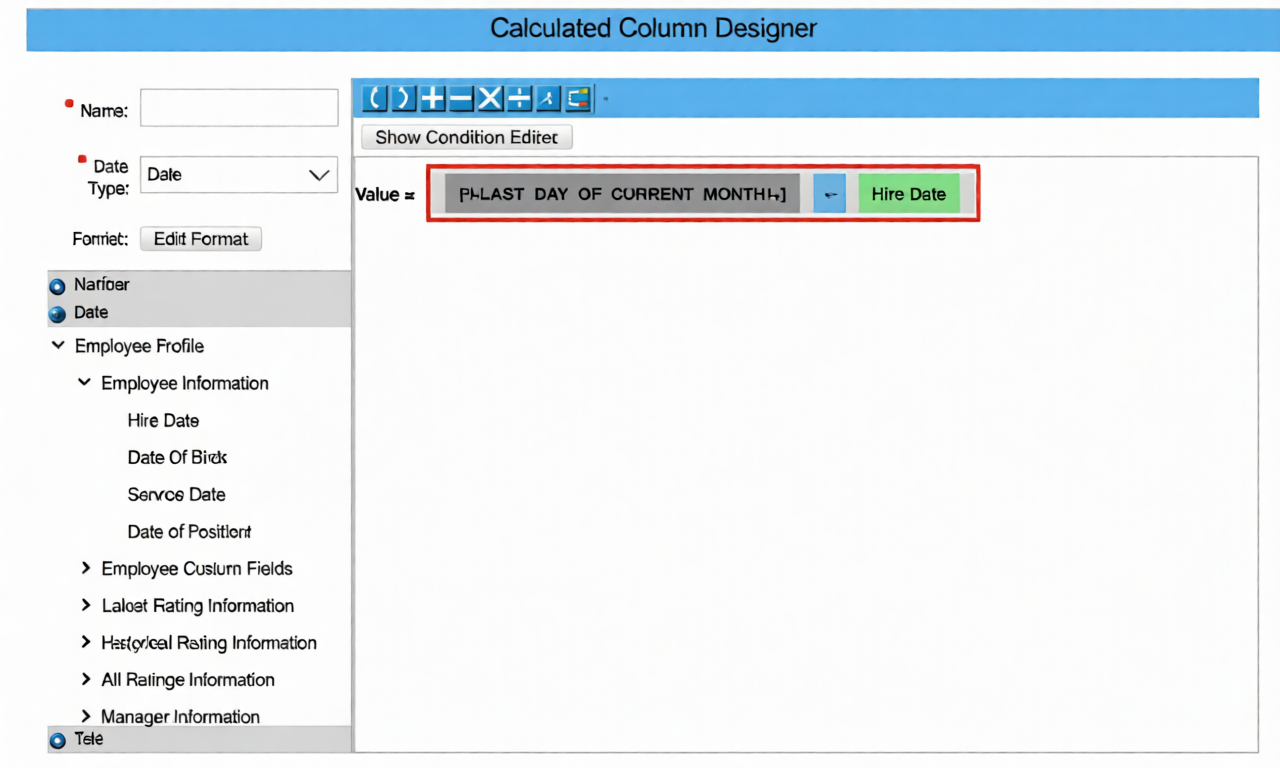
A. An incorrect dynamic date variable has been used.
B. An "if then else" statement needs to be included.
C. The result of the formula is negative.
D. An incorrect data type has been selected.
The drill-down list of a tile contains more entries than the values displayed in a chart (see attached image) How do you make the outputs match?
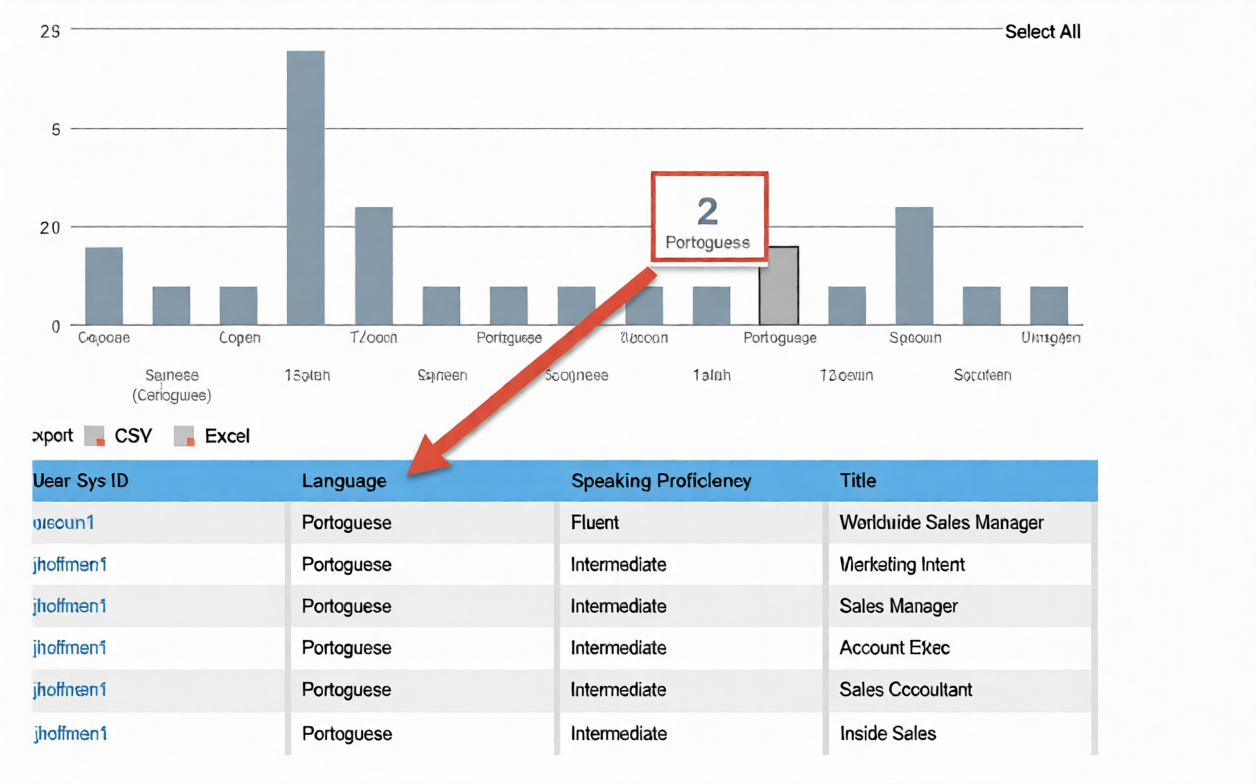
A. Configure a filter to remove the duplicate column.
B. Remove the category assignment field.
C. Change the metric calculation from Count to Count (Distinct).
D. Remove the column that would generate multiple entries per metric.
What permission type applied to table reports is defined by a combination of the user's View permissions and Target Population in role-based permissions?
A. Run report permission
B. Row level permission
C. Field level permission
D. Cell level permission
When you share a tile, how can the user view that tile? Note: There are 3 correct answers to this question.
A. Canvas Report
B. Custom table report
C. Homepage
D. iOS SF app
E. Dashboard
In the Advanced Reporting tool, you want to create a query that includes the employee's matrix manager. When you configure the table join with the Job Relationships table, the Results tab displays multiple rows per employee that also include relationships to HR managers and second managers. How do you configure the query to return one row per employee that shows the employee's matrix manager, when assigned?
A. Change the Job Relationship join to an inner join.
B. Change the Job Relationship to include a table restriction.
C. Change the Job Relationship join to a right join.
D. Change the Job Relationship join to a left join.
You are creating a query for a historical compensation story report in Query Designer. You have added the Job Information table to the query, configured a scope filter, and previewed the result to verify you are returning the appropriate employees. You add the related table Compensation to the query.
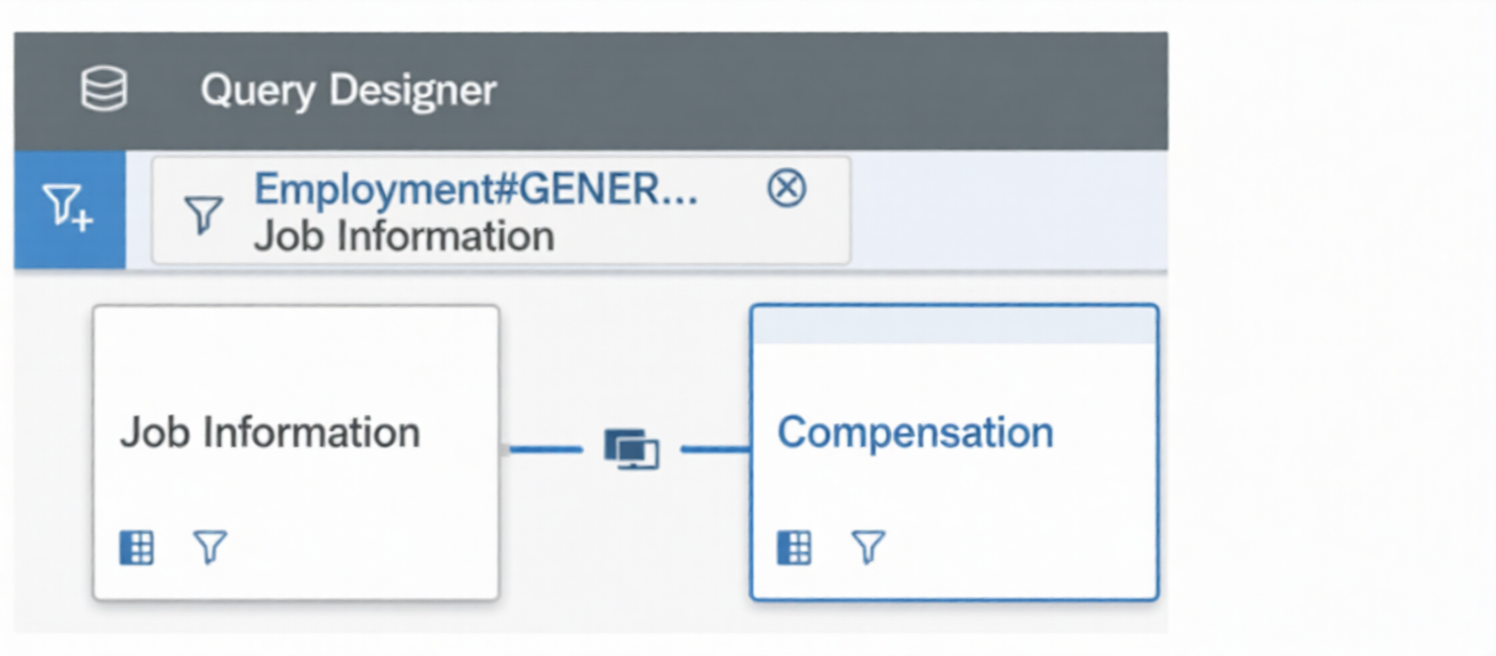
When you preview the query, you only get the current compensation information for the employees. Why do you only receive the current records? Note: There are 2 correct answers to this question.
A. The Job information table time filter is set to: As of Date > Dynamic Date: Today.
B. The compensation table time filter is set to: As of Date > Dynamic Date: Today.
C. The compensation table time filter is set to: Same Filter as First Table.
D. The Query Advanced Filter is set to: Job Information effective start date equal to Dynamic Date Today.
As a report owner, you want to share a table report with a user. What must you configure to ensure the user can access data? Note: There are 2 correct answers to this question.
A. Reports Permission: Create Report
B. Report creation People step
C. Report creation User Prompted Filters step
D. Reports Permission: Run Report
How do you configure the Builder to display the chart in the screenshot in a story report?
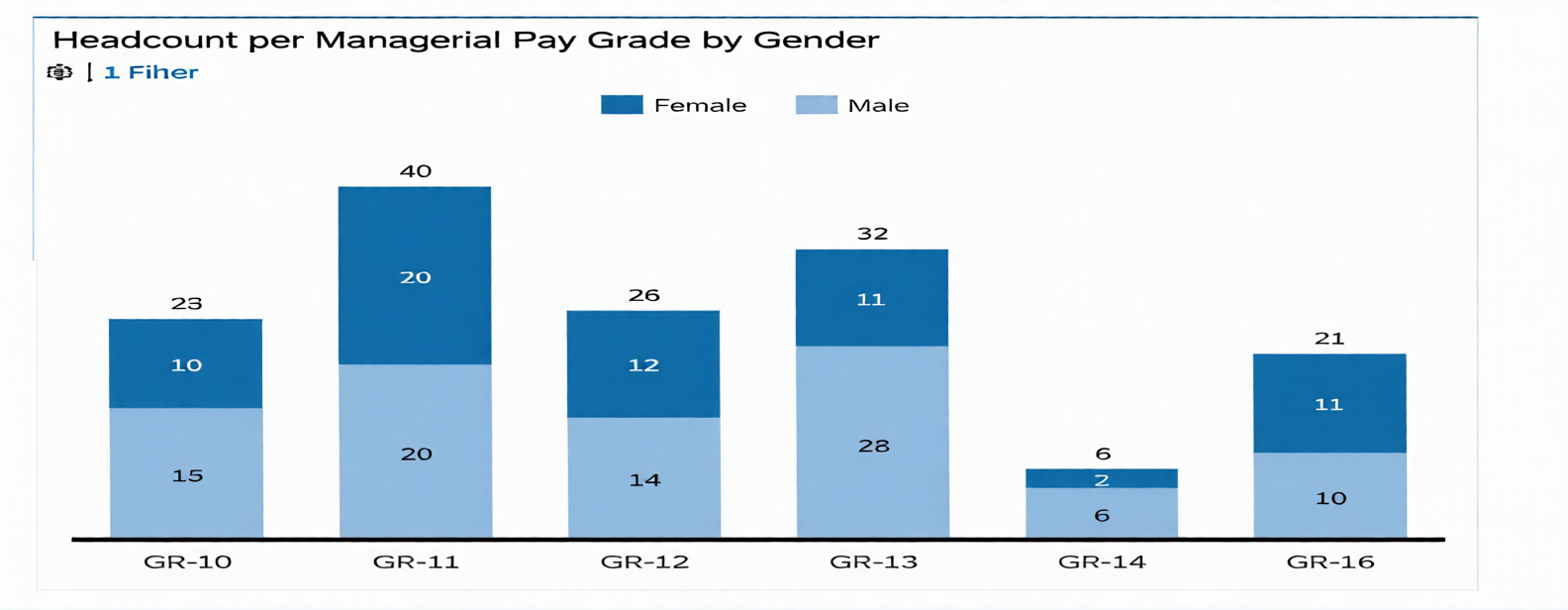
Note: There are 3 correct answers to this question.
A. Set Dimensions to Pay Grade.
B. Set Dimensions to Gender.
C. Set Color to Gender.
D. Set Color to Pay Grade.
E. Set Measures to EOP Headcount.
What happens when you enable inline translation of a Story as it relates to future edits of the Story report? Note: There are 2 correct answers to this question.
A. The source language is chosen from enabled locales on the instance when enabling translation.
B. The report can be edited only in the source language.
C. The source language is set to the current locale of the individual who enabled translation.
D. The report can be edited in any language.
What are the steps to create and assign a date filter to a tile?
A. Access Date Options. Configure the date type to Date Range. Configure the date from/date to. ^ Enable the date filter in the tile. Configure end user free selection of date range.
B. Enable the date filter in the tile. Access Date Options. Configure date type to Date Range. ^ Configure the date from/date to. Configure end user free selection of date range
C. Create a new date range. Configure the Name, label, and date from/date to. Enable the date filter in the tile. Configure end user free selection of date range.
D. Enable the date filter in the tile. Create a new date range. Configure the Name, label, and date from/date to. Configure end user free selection of date range.
You are working with nested labels on your instance in Report Center. How do you configure the labels as displayed in the screenshot? Note: There are 2 correct answers to this question.
A. Set "Nest label in;" to Recruiting.
B. Set "Nest label in:" to Talent Management.
C. Edit the Talent Management label in Manage Labels.
D. Edit the Recruiting label in Manage Labels.Answer:
| Page 2 out of 7 Pages |
| Previous |